Email-based analytics vs dashboards: Pros and cons for e-commerce
Honest comparison of email analytics and dashboard tools for e-commerce stores. Learn which approach fits your workflow, team size, and decision-making style.
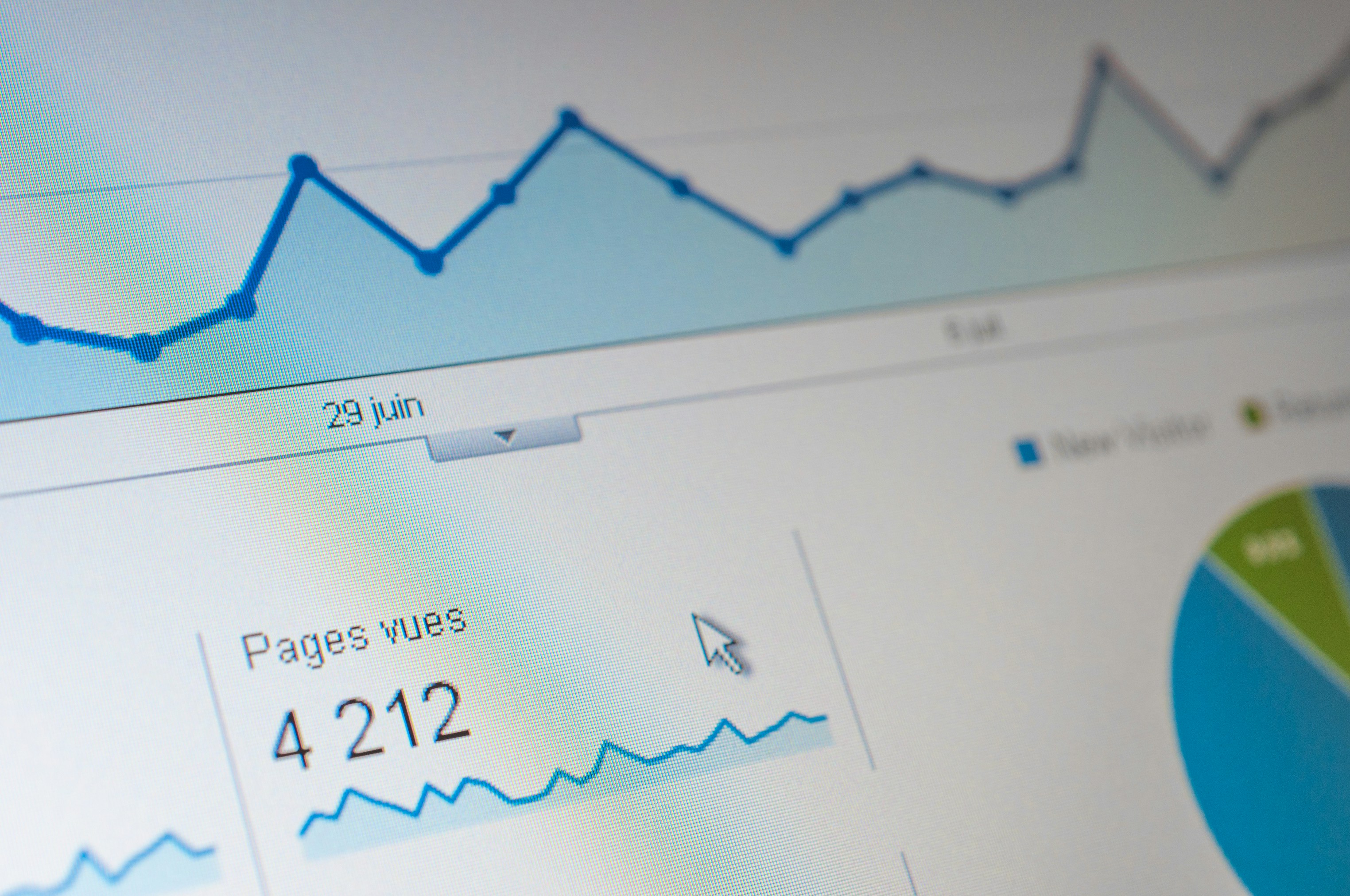
You're staring at three browser tabs—Shopify Analytics, Google Analytics 4, and maybe a third-party dashboard—trying to figure out if yesterday was actually a good day. You've spent 15 minutes clicking through filters, date ranges, and metric cards, and you're still not sure whether that 8% sales increase is real progress or just noise compared to last Tuesday, or was it last Wednesday?
Your business partner Slacks you asking about conversion rates. You screenshot your dashboard. They reply: "That's not what I'm seeing—are you looking at the same date range?" Your customer service lead emails asking about order volume because they need to plan staffing. You go back to Shopify, export the data, paste it into an email.
It's now 9:47 AM. You've been "checking analytics" for half an hour, and all you've accomplished is confirming that yes, numbers exist, and no, nobody on your team is looking at the same numbers in the same way.
The promise of analytics dashboards was supposed to be clarity—real-time data at your fingertips, infinite flexibility to slice and dice metrics however you want. But for most small e-commerce teams, dashboards created a different problem: decision fatigue disguised as data-driven management.
Email-based analytics tools promise a simpler path: daily reports delivered automatically, same numbers to everyone, no logging in required. But is this actually better, or are you just trading dashboard complexity for inbox clutter and losing the flexibility you occasionally need?
The honest answer: it depends. Neither approach is universally superior. The right choice depends on your workflow, your team structure, and how you actually make decisions—not how you think you should make decisions.
Why choosing between dashboards and email reports feels so hard
The difficulty isn't about features. Most analytics platforms—whether dashboard or email-based—track the same core metrics. Sales, orders, conversion rate, traffic sources, top products. The data is functionally identical.
The challenge is matching the tool to how you actually work.
Dashboard-based analytics assume you'll proactively log in, navigate to the right view, interpret what you see, and take action. This works beautifully if you're analytical by nature, enjoy exploring data, and have dedicated time for regular analytics reviews. It fails completely if you're busy running every other aspect of your business and analytics checking happens in stolen moments between customer emails and inventory decisions.
Email-based analytics assume you want the same core metrics delivered automatically, that you're okay with less flexibility in exchange for zero login friction, and that consistent daily visibility matters more than real-time access. This works beautifully if you want to stay informed without dedicating mental energy to remembering to check. It fails if you regularly need to drill down into segments, investigate unusual patterns, or answer specific questions that predetermined reports can't address.
The mismatch happens when you choose based on what sounds impressive rather than what matches your actual behavior. A tool with 50 customizable dashboards is worthless if you never customize them. Automated email reports are worthless if you need to investigate why mobile conversion dropped 15% yesterday and email can't tell you.
What doesn't work for choosing the right approach
Before looking at how to decide, let's eliminate the bad advice that makes this decision harder than it needs to be.
"Just use both—dashboards for deep analysis, email for daily monitoring." This sounds balanced and reasonable. In practice, it means paying for two systems, training your team on two interfaces, and constantly deciding which tool to check for which question. The cognitive overhead of maintaining two analytics systems often exceeds the benefit of having both. Pick one primary approach.
"Choose the one with more features." More features sounds better until you realize you're paying for capabilities you never use while the core workflow remains clunky. The dashboard with 200 available metrics isn't better if you only ever look at 8 of them. Choose based on workflow, not feature count.
"Go with the cheapest option." If a tool saves you 10 hours monthly, it's worth far more than the price difference between a $29 plan and a $79 plan. Calculate value based on time saved and decisions improved, not subscription cost alone.
"Wait until you're bigger to invest in analytics tools." The smaller you are, the more each decision matters. A 10% improvement in conversion rate is worth more to a $50k/month store (percentage-wise) than a $500k/month store. Start with proper analytics now, when insights have maximum impact.
The real solution is understanding when each approach genuinely works better.
When dashboards are actually better
Let's start with the honest cases where traditional dashboard analytics remain superior to email reports.
You're actively running tests: If you're A/B testing checkout flows, trying new ad creative, or experimenting with pricing, you need more frequent data access than daily emails provide. Dashboard access lets you check mid-day results, spot problems early, and make quick adjustments. Email reports work for monitoring steady-state operations, not active experimentation.
You need to investigate specific questions: "Why did desktop conversion drop on Friday?" or "Which products are mobile users buying versus desktop users?" These questions require drilling into segments that predetermined email reports can't answer. Dashboards excel at ad-hoc exploration. If you regularly have these questions, you need dashboard access.
Your store has complex operations: Multiple product lines, international markets, various shipping methods, seasonal patterns that vary by category—complexity requires flexibility. Email reports can show high-level metrics, but understanding which specific segment is causing a trend requires dashboard work. Stores over $500k/month revenue typically need dashboard access for this reason.
Someone on your team focuses on analytics full-time: If you have a dedicated analyst, they need a dashboard. Email reports supplement their work but can't replace the deep analysis they do. Think of email as executive summary, dashboards as the full analytical toolkit.
You're making a major strategic decision: Expanding to a new market? Discontinuing a product line? Evaluating whether to build a mobile app? These decisions require comprehensive analysis that email reports can't provide. You need dashboard access to explore multiple angles before committing.
When email analytics are actually better
Conversely, here's when email-based analytics make more sense than dashboards.
You're a founder doing everything: Between customer service, inventory management, marketing, and operations, you don't have time to log into multiple dashboards daily. Email reports put essential metrics in your inbox alongside everything else demanding attention. The friction of dashboard checking ensures you skip days; email arrives whether you remember or not.
Your decisions are consistent day-to-day: Most e-commerce operations don't change dramatically daily. You're monitoring trends, spotting anomalies, and making incremental improvements. Standard daily reports handle this perfectly. Save deep analysis for monthly strategic reviews when you have dedicated time.
You want team-wide visibility: Everyone from customer service to warehouse staff benefits from knowing yesterday's order volume and top-selling products. Email reports create this shared context without requiring everyone to learn Google Analytics. Dashboards create information silos; email creates transparency.
You're fighting compulsive checking: If you've caught yourself checking analytics 4-5 times daily even though nothing has changed, email reports break that cycle. The data comes to you once, eliminating the anxiety-driven impulse to refresh dashboards. This alone saves hours weekly.
You value consistency over depth: You'd rather see the same 8 core metrics every single day than have access to infinite metrics you occasionally explore. Constraints help you focus. If you find dashboards overwhelming, email's limitations become an advantage.
The realistic hybrid approach (what most stores actually need)
Here's the truth: most successful e-commerce stores don't choose one or the other exclusively. They use both, but for different purposes.
Daily email reports handle routine monitoring—your core metrics, delivered automatically, keeping you and your team aligned on current performance. This covers 80-90% of analytics needs: Is revenue up or down? Are we getting traffic? Which products are selling? What's our conversion rate?
Dashboard access remains available for the other 10-20%—when you need to investigate an anomaly the email report surfaced, answer a specific question about customer behavior, or do comprehensive analysis before a major decision.
Think of email analytics as your car's dashboard while driving. It shows speed, fuel, engine temperature—the vital signs you need to monitor constantly. The actual engine diagnostic computer (full analytics dashboard) stays hidden until the check engine light comes on. You don't need access to every sensor reading while driving normally.
Tools like Peasy handle the daily monitoring piece. Connect to Shopify, WooCommerce, or Google Analytics 4, and you'll receive daily email reports with your core metrics—sales, orders, conversion rate, average order value, sessions, top products, top pages, and top channels—with built-in comparisons showing today vs yesterday, this week vs last week, this month vs last month, and same periods last year.
But Peasy doesn't replace your existing analytics platforms. Google Analytics remains available when you need to investigate why mobile traffic converts differently than desktop. Shopify Analytics is still there when you need detailed customer timelines. Email just eliminates the need to log in for routine daily checks.
Comparison: Dashboard vs Email Analytics
Time to access data:
Dashboard: 2-3 minutes (login, navigation, loading)
Email: Instant (open inbox)
Data depth:
Dashboard: Unlimited drilling down into segments
Email: Limited to report scope
Team alignment:
Dashboard: Difficult (everyone checks different views)
Email: Easy (everyone gets same report)
Customization:
Dashboard: Extensive (build any report)
Email: Minimal (configure basic options)
Compulsive checking:
Dashboard: High risk (always available)
Email: Low risk (arrives once daily)
Real-time data:
Dashboard: Yes
Email: No (typically daily)
Context switching cost:
Dashboard: High (requires dedicated focus)
Email: Low (review in inbox flow)
Ad hoc questions:
Dashboard: Excellent
Email: Poor (need dashboard for this)
Learning curve:
Dashboard: Steep (complex interfaces)
Email: Minimal (just read email)
Historical comparisons:
Dashboard: Possible but manual
Email: Built-in automatically
Making the right choice for your store
Ask yourself these questions:
How do you currently interact with analytics? If you check multiple times daily but feel guilty about the time spent, email reports eliminate that friction. If you genuinely enjoy exploring data and regularly discover insights through dashboard browsing, stick with dashboards.
How does your team need to stay informed? If alignment matters (everyone should know yesterday's numbers), email wins. If different team members need different views (marketing needs traffic, operations needs inventory), dashboards provide that flexibility.
What's your actual workflow? If your day starts with email and you're constantly in your inbox anyway, analytics arriving there makes sense. If you already have a morning dashboard checking routine that works, don't fix what isn't broken.
How much do you value consistency versus flexibility? Email provides consistent monitoring with limited flexibility. Dashboards provide unlimited flexibility requiring consistent discipline. Pick the trade-off that matches your working style.
What's your store revenue? Under $100k/month: email reports likely sufficient. $100k-300k: email for daily, dashboard for monthly reviews. Over $300k: probably need dashboard access regularly, email as supplement.
Frequently asked questions
Can I completely replace dashboards with email reports?
No, and you shouldn't try. Email reports handle daily monitoring—your routine health check. But when something in the report looks wrong or interesting, you'll need dashboard access to investigate why. The best approach is email for daily monitoring (90% of your analytics time), dashboard for investigation and strategic analysis (10% of time).
How do I know which metrics should be in my daily email report?
Start with the metrics you currently check every single day: sales, orders, conversion rate, average order value, and traffic. Add your top 5 products and top 3 traffic sources. That's 8-10 data points covering what matters for daily operations. Everything else—detailed customer segments, hour-by-hour patterns, cohort analysis—lives in your dashboard for periodic deeper review.
What if something urgent happens between daily reports?
Set up actual alerts in your existing platforms for genuinely urgent situations—site down, conversion rate below threshold, traffic spike. Email reports handle routine monitoring; alerts handle urgent situations. Don't confuse the two. Most things that feel urgent when you check dashboards compulsively aren't actually urgent.
Will my team actually read daily analytics emails?
Only if the emails are relevant to their work and don't require analytics knowledge to understand. Customer service should know order volume is up (they'll be busier). Warehouse should see which products are selling (affects picking). But they won't read emails with 30 metrics requiring interpretation. Keep it simple: 8-10 numbers with clear comparisons, scannable in under 60 seconds.
How is this different from Google Analytics email reports?
GA can send scheduled reports, but the setup is complex and the output is either too simple (just numbers without context) or too complex (entire dashboard screenshots). Email-focused analytics tools are designed specifically for daily monitoring—they choose the right metrics, format them for quick scanning, and include useful comparisons automatically. GA's email feature is a bolt-on; email analytics tools make it their core purpose.
What if I need different metrics than the email report includes?
Most email analytics tools offer basic configuration—which metrics, frequency, recipients. But you can't usually rebuild the entire report structure. That's actually a feature, not a bug. Constraints force focus on what matters most. If you regularly need extensive customization, you probably need a dashboard tool where you can build any report imaginable. Email works best when it's standardized.
Peasy connects to Shopify, WooCommerce, and Google Analytics 4—delivering daily email reports with sales, orders, conversion rate, average order value, sessions, top products, top pages, and top channels—with comparisons showing today vs yesterday, this week vs last week, this month vs last month, and same periods last year. Try free for 14 days.
